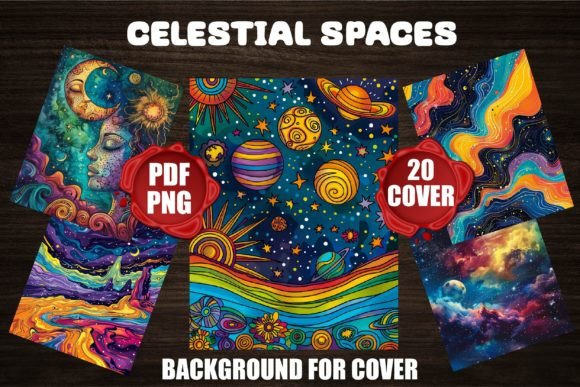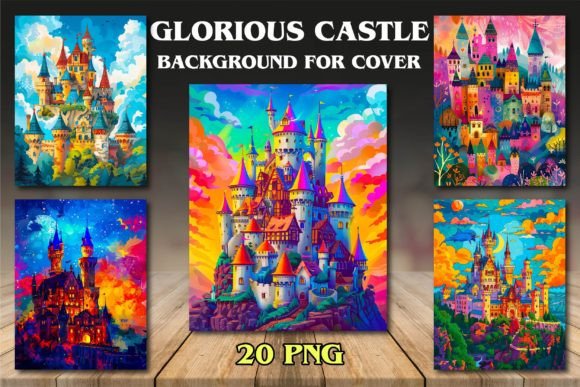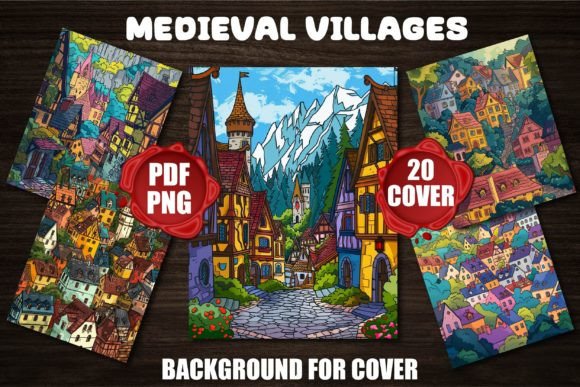
Medieval Villages Backgrounds for Covers
Imagine opening a coloring book and stepping straight into a sun-dappled cobblestone lane—thatched cottages nestle beside a winding river, a stone bridge arches over gentle water, and distant turrets rise against a soft sky. That’s the quiet magic of Medieval Villages Backgrounds for Covers: 20 high-resolution PNG files (300 DPI), each crafted to serve as evocative, print-ready backdrops for book covers—especially coloring books designed for adults, teens, or children.
These aren’t generic castle silhouettes or cartoonish fantasy scenes. They’re thoughtfully composed village panoramas—balanced in scale, rich in architectural detail, and intentionally open in the center or lower third to accommodate titles, logos, or decorative elements. Whether you're publishing on Amazon KDP, preparing physical print runs, or building a cohesive brand across multiple titles, this set delivers visual consistency *and* flexibility.
Why creators choose medieval village backgrounds—and why some regret it later
Medieval themes resonate deeply: they evoke timelessness, craftsmanship, and gentle escapism. That’s why many designers reach for village scenes when launching adult coloring books, mindfulness journals, or educational activity guides. But not all medieval backgrounds work equally well—and that’s where practical missteps begin.
A common oversight? Assuming “high resolution” automatically means “print-ready cover.” Some creators download files labeled “300 DPI” only to discover they’re cropped too tightly, lack sufficient bleed space, or contain subtle AI artifacts—like repeating roof tiles or inconsistent perspective—that become glaring at full size. Others assume transparency (PNG) means automatic compatibility with KDP’s cover calculator—only to find their title placement clashes with busy foreground elements like market stalls or climbing ivy.
These aren’t flaws in the concept—they’re gaps in evaluation. And they cost time, rework, and sometimes, lost sales from unpolished first impressions.
Three overlooked checks before using Medieval Villages Backgrounds for Covers
1. Test for layout breathing room—not just resolution.
A 300 DPI image can still fail if critical negative space is missing. Open one file in your design software and overlay a mock title block (e.g., 4″ × 1″ rectangle at the bottom third). Does text sit cleanly without competing with doorways, chimneys, or clustered figures? If your title vanishes behind a haycart or blends into shadowed eaves, that background needs adjustment—or a different pick from the bundle. The best options in this collection leave intentional visual anchors: clear sky zones, open courtyards, or gently receding paths that guide the eye toward text.
2. Verify color mode and contrast for both screen and print.
Many digital artists work in RGB—but KDP and commercial printers use CMYK. While these backgrounds are optimized for vibrant on-screen appeal, check how key tones shift when converted. Warm stone tones may mute; deep forest greens can turn muddy. A quick soft-proof in Photoshop (View > Proof Setup > Working CMYK) reveals whether a charming twilight scene will read as murky gray on a physical cover. If contrast drops significantly, slightly increasing midtone clarity or adjusting saturation *before* export preserves depth without oversharpening.
3. Confirm licensing scope—not just file count.
This bundle permits commercial use—including KDP, Etsy, and local print shops—but only for end products where the background is *integrated*, not resold as standalone assets. So yes, you can use it for 50 coloring book covers. No, you can’t repackage the PNGs into a “Medieval Elements Pack” and list them separately. Misreading license terms leads to takedowns or wasted design hours. When in doubt, re-read the included license PDF—not the product title or thumbnail description.
Better choices start with smarter comparisons
Don’t compare bundles solely by number of files. Ask: Do they share consistent lighting direction? Is there variety in time of day (dawn mist vs. golden-hour warmth) and season (bare branches vs. leafy summer)? This collection includes both—so you can build series continuity (e.g., “Four Seasons of Eldermere Village”) without mismatched shadows or clashing palettes.
Also resist the urge to over-edit. Some creators add heavy filters or textures to “customize” backgrounds, only to lose the clean line-art readiness these images were built for. These files are designed to sit beneath hand-drawn illustrations or layered typography—not compete with them. Let the architecture breathe. Use subtle drop shadows under text boxes instead of darkening entire scenes.
Real-world results start with realistic expectations
This isn’t a shortcut to viral success—it’s a tool that earns its value through thoughtful application. One indie educator used three backgrounds from this set to launch a history-themed coloring workbook for middle schoolers. She paired each village scene with age-appropriate captions about trade routes, blacksmithing, or monastic gardens. Because the visuals felt authentic—not cartoonish—the book stood out in Amazon’s crowded “Educational Coloring” category. Teachers ordered class sets; libraries added it to local history displays.
Another creator avoided the “more is better” trap. Instead of cramming all 20 files into a mega-bundle, she curated five complementary scenes—market day, harvest festival, winter solstice, spring planting, and river ferry—and launched them as a themed series. Each cover shared the same font treatment and color accent, reinforcing brand recognition across her KDP storefront.
That’s the quiet strength of Medieval Villages Backgrounds for Covers: it supports intention, not inertia. It rewards attention to detail—not just volume of output.
If you’re designing for calm, curiosity, or creative grounding, these backgrounds offer more than nostalgia. They offer structure: reliable resolution, coherent style, and room for your voice to be seen—and heard—amid the timeless charm of stone, timber, and story.